How Do I Set Up My Samsung Music Frame?
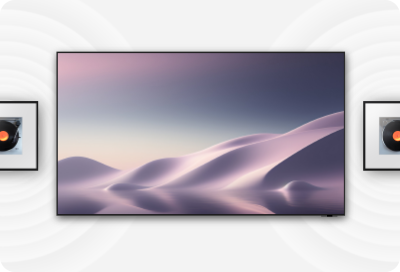
To connect and control your Samsung Music Frame, you can use either Bluetooth or Wi-Fi through the SmartThings app. This guide covers setup steps, sound customization options, troubleshooting for connection issues, and compatibility details for Samsung TVs and phones.
1. How do I connect my Samsung Music Frame to my phone or TV?
You can connect your Samsung Music Frame to your phone or TV using Bluetooth or Wi-Fi. Follow these steps:
- Using Bluetooth:
- For your phone: Go to Settings > Bluetooth and select your Music Frame from the list.
- For your TV: Navigate to Settings > Sound > Sound Output > Bluetooth Speaker List and select Music Frame (Bluetooth). Enter <0000> if prompted for a PIN.
- Using Wi-Fi:
- Ensure your Music Frame and phone/TV are connected to the same Wi-Fi network.
- Open the SmartThings app on your phone and add your Music Frame. Once connected, you can control sound settings like volume, sound mode, and equalizer.
- For your TV, go to Settings > All Settings > Sound > Sound Output and select Music Frame (Wi-Fi).
2. What sound settings are available on the Samsung Music Frame?
The SmartThings app offers several sound customization options:
-Volume: Adjust the Music Frame's volume level.
-Sound Mode: Choose from Music, Standard, or Adaptive Sound for optimized audio.
-Equalizer: Customize Bass and Treble settings.
-SpaceFit Sound: Optimizes sound based on your room's acoustics.
-Active Voice Amplifier: Enhances spoken dialogue clarity.
-Advanced Sound Settings: Includes Voice Enhancement and Night Mode for clearer dialogue in low-volume environments.
3. How do I set up Q-Symphony with my Samsung TV and Music Frame?
Q-Symphony allows your TV and Music Frame to play sound simultaneously. Here's how to set it up:
- Ensure your Samsung TV and Music Frame are connected to the same Wi-Fi network.
- On your TV, navigate to Settings > All Settings > Sound > Q-Symphony Setup > Music Frame.
- Follow the on-screen instructions to complete the setup. Up to two Music Frames can be connected.
-Note: Q-Symphony is compatible with TVs released after 2024. 2023 models will receive compatibility updates.
-Note: A 2024 soundbar is required for simultaneous Q-Symphony setup with both a soundbar and Music Frame.
4. Why won't my Samsung Music Frame connect via Bluetooth?
If your Music Frame fails to connect via Bluetooth, try these troubleshooting steps:
- Ensure your phone and Music Frame are within 3.28ft (1m) of each other during initial pairing.
- Delete any existing Bluetooth connections for "Music Frame" from your device's Bluetooth settings and reconnect.
- Reset your Music Frame (all settings will be restored to default).
5. Supported Samsung Galaxy devices and TVs
Your Samsung Music Frame is compatible with:
-Samsung Galaxy smartphones (S24, S25, S26, Z Fold, Z Flip, A series)
-Samsung TVs released after 2024 (with Q-Symphony support)
-Samsung soundbars (2024 models for Q-Symphony)
6. Related Samsung support topics
Thank you for your feedback!
Please answer all questions.