How to Fix Galaxy Buds3 Charging Issues
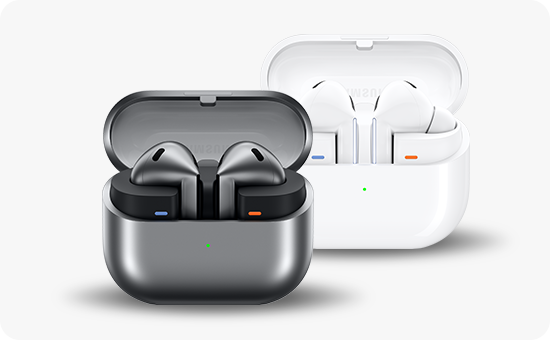
Why are my Galaxy Buds3 or Buds3 Pro not charging properly with a Samsung-approved charger?
If your Galaxy Buds3 or Buds3 Pro isn't charging properly with a Samsung-approved charger, it could be due to dirty charging contacts, improper connections, or charger incompatibility. Follow these steps to resolve the issue and ensure optimal charging performance.
1. Why are my Galaxy Buds3 or Buds3 Pro not charging properly?
Charging issues with your Galaxy Buds3 or Buds3 Pro can stem from several factors:
- Dirty or misaligned charging contacts on the earbuds or case.
- Using a non-Samsung-approved charger or cable.
- A damaged or faulty charging case.
- Software glitches affecting charging functionality.
2. How to fix charging issues with Galaxy Buds3 or Buds3 Pro
- Check the charging contacts: Ensure the earbuds and case contacts are clean and aligned. If they're dirty, gently wipe them with a dry microfiber cloth.
- Verify charger compatibility: Use only Samsung-approved chargers and cables designed for Galaxy Buds3 or Buds3 Pro.
- Inspect the charging case: Look for physical damage or debris inside the case that might block proper charging.
- Reset the earbuds: Remove the earbuds from your Bluetooth devices, then perform a factory reset on the earbuds themselves.
- Update firmware: Ensure your earbuds are running the latest firmware version via the Samsung Wearable app.
3. Additional things to check
If the above steps don't resolve the issue, consider these additional checks:
- Test the charger and cable with another compatible device to confirm functionality.
- Check for firmware updates in the Samsung Wearable app, as outdated software can cause charging issues.
- Avoid exposing the earbuds or case to extreme temperatures, which can affect battery performance.
4. Supported Samsung Galaxy devices
The troubleshooting steps above apply to:
Galaxy Buds3, Galaxy Buds3 Pro, and other compatible Samsung earbuds models.
5. When to contact a Samsung Service Center
If none of the troubleshooting steps resolve the issue, your Galaxy Buds3 or Buds3 Pro may require professional repair. Contact a Samsung Service Center or authorized repair provider for assistance.
Related Samsung support topics
Thank you for your feedback!
Please answer all questions.