S Pen Not Working in Certain Screen Areas
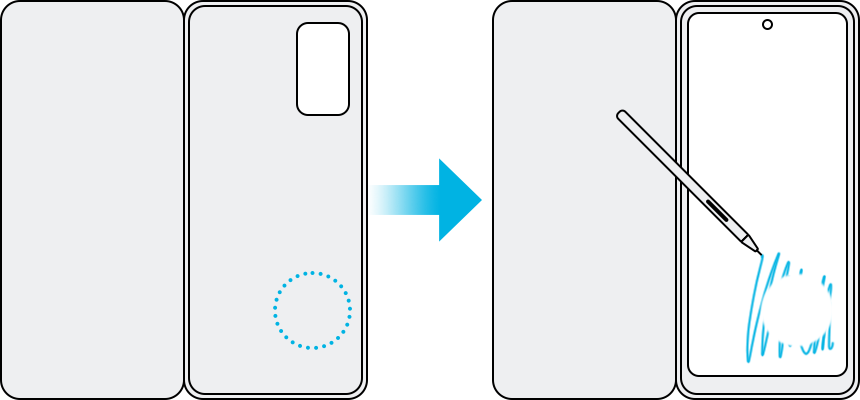
If your Samsung Galaxy S Pen isn't being recognized on certain screen areas, the issue could stem from external factors like magnetic interference, screen protectors, or software problems. Follow these steps to troubleshoot and resolve the issue effectively.
1. Why is my Samsung Galaxy S Pen not working on specific screen areas?
The S Pen may fail to register input due to magnetic interference, incompatible accessories, or hardware/software issues. Common causes include magnetic cases, screen protectors, outdated software, or a worn-out S Pen tip.
2. How to fix S Pen recognition issues on Samsung Galaxy devices
- Remove magnetic cases or covers: Magnetic materials in third-party cases or covers can interfere with the S Pen's electromagnetic field, causing recognition issues. Remove any magnetic cases and test the S Pen again.
- Check for magnetic interference: Avoid using the S Pen near areas with strong magnetic fields, such as the camera or speaker modules. If the S Pen doesn't respond, lift it slightly and try again.
- Inspect your screen protector: Screen protectors with uneven surfaces, excessive thickness, or dirt can disrupt S Pen functionality. Clean the screen, replace the protector, or remove it temporarily to test.
- Replace the S Pen tip: If the S Pen pointer appears but input isn't registered, the tip may be worn out. Replace it with a spare tip if available.
- Update your device software: Outdated software can cause compatibility issues. Go to Settings > Software Update to ensure your Galaxy device is running the latest version.
3. Additional things to check
- Ensure the S Pen is fully charged and inserted correctly into its slot.
- Test the S Pen on different screen areas to identify patterns of unresponsiveness.
- Restart your Samsung Galaxy device to reset system processes.
4. Supported Samsung Galaxy devices
This troubleshooting guide applies to Galaxy S24, S25, Z Fold, Z Flip, and other S Pen-compatible Galaxy devices.
5. Related Samsung support topics
Thank you for your feedback!
Please answer all questions.