What Is Live Effect on Galaxy Z Fold6 and Z Flip6?
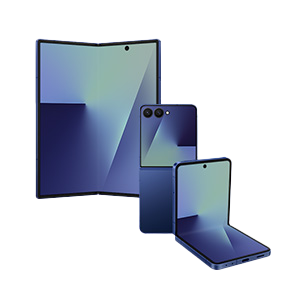
What is the Live Effect feature on the Samsung Galaxy Z Fold6 and Flip6?
The Live Effect feature on the Samsung Galaxy Z Fold6 and Flip6 uses Galaxy AI to convert standard 2D photos into dynamic 3D-like visuals, offering a more engaging way to view your memories. This feature is accessible directly from the Gallery app and enhances your media with depth and motion.
1. How does the Live Effect feature work?
The Live Effect feature analyzes your selected 2D photo and applies advanced AI algorithms to simulate depth and movement, creating a 3D-like experience. This allows you to interact with your photos in a more immersive way, adding a new dimension to your visual content.
2. How to access the Live Effect feature
- Open the Gallery app on your Samsung Galaxy Z Fold6 or Flip6.
- Select the photo you want to enhance with Live Effect.
- Swipe up or tap the 'More options (⁝)' button and choose 'Details.'
- Tap 'Live effect' to activate the feature and view your photo in 3D.
3. Supported Samsung Galaxy devices
The Live Effect feature is available on the following devices:
- Samsung Galaxy Z Fold6
- Samsung Galaxy Flip6
4. Why use the Live Effect feature?
The Live Effect feature enhances your photos by adding depth and motion, making them more engaging and interactive. It's perfect for sharing memorable moments with friends and family or simply enjoying your photos in a new way.
5. Additional things to check
Ensure your device is updated to the latest software version to access all features of the Live Effect. Also, make sure your photo meets the required resolution and clarity standards for optimal results.
Related Samsung support topics
Thank you for your feedback!
Please answer all questions.