What is Flex Mode on Galaxy Z Flip 6 and Galaxy Z Fold 6?
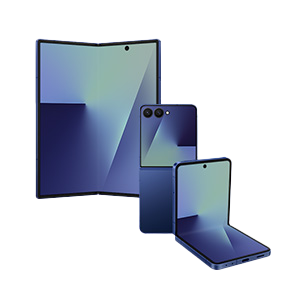
What is Flex Mode on Samsung Galaxy Z Flip 6 and Galaxy Z Fold 6?
Flex Mode is a smart feature on Samsung Galaxy Z Flip 6 and Galaxy Z Fold 6 that automatically adjusts app layouts when the device is partially folded at angles between 75° and 115°. This allows for hands-free multitasking, improved video recording, and optimized viewing experiences.
1. How Does Flex Mode Work?
When you partially fold your Galaxy Z Flip 6 or Galaxy Z Fold 6, Flex Mode intelligently splits the screen into two sections. The top portion displays the primary content, while the bottom section provides controls or secondary information. This feature works seamlessly across compatible apps such as the camera, video player, and messaging apps.
2. What Are the Benefits of Flex Mode?
- Enables hands-free video recording for activities like workouts, cooking, or makeup tutorials.
- Optimizes app layouts for multitasking, allowing you to view content and interact with controls simultaneously.
- Enhances usability by automatically adjusting the interface based on the folding angle.
3. How to Activate Flex Mode
- Open any compatible app, such as the camera or video player.
- Fold your Galaxy Z Flip 6 or Galaxy Z Fold 6 to an angle between 75° and 115°.
- Observe the screen split into two sections, with the top displaying the main content and the bottom providing controls.
4. Supported Samsung Galaxy Devices
Flex Mode is available on the following devices:
- Galaxy Z Flip 6
- Galaxy Z Fold 6
5. Additional Things to Check
If Flex Mode isn't working as expected, ensure that:
- Your device is running the latest software version.
- The app you're using supports Flex Mode.
- The device is folded within the optimal angle range (75° to 115°).
Related Samsung Support Topics
Thank you for your feedback!
Please answer all questions.