How to Turn the Galaxy Fit3 on and off?
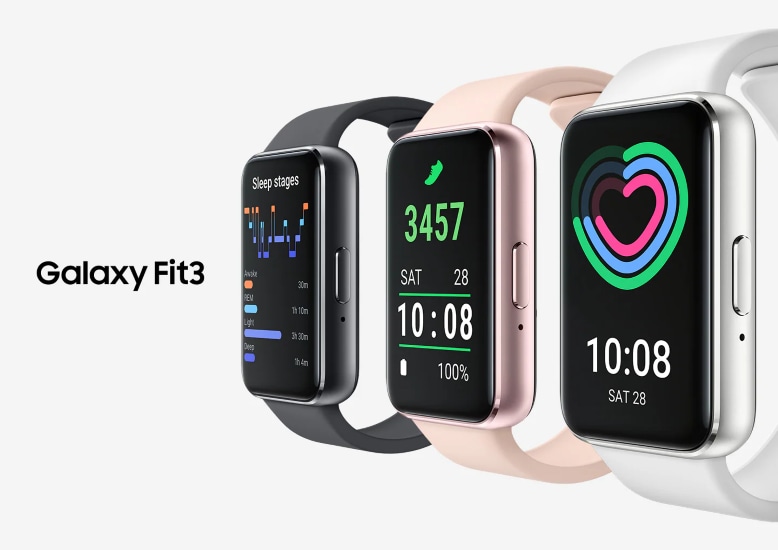
How to Turn Samsung Galaxy Fit3 On and Off
To turn your Samsung Galaxy Fit3 on or off, use the Home button or the quick settings menu. If the device is unresponsive, a long press can force a restart. Follow these steps to manage your wearable effectively.
1. How to Turn On Your Galaxy Fit3
Powering on your Galaxy Fit3 is straightforward. Here's what you need to do:
- Press and hold the Home button for more than 8 seconds.
- Follow the on-screen instructions to set up your device or connect it to the Galaxy Wearable app on your phone.
Note: When you turn on the Fit3 for the first time, ensure your phone has the Galaxy Wearable app installed and Bluetooth is enabled for pairing.
2. How to Turn Off Your Galaxy Fit3
To power off your Galaxy Fit3, follow these steps:
- Open the quick panel by dragging downwards from the top edge of the screen.
- Tap the power icon.
- Select Power off.
Note: If you continue holding the Home button after accessing the power options, the device may restart instead of turning off.
3. How to Restart Your Galaxy Fit3
Restarting your Galaxy Fit3 can resolve minor software issues. Here's how:
- Press and hold the Home button for more than 11 seconds.
This action will force the device to restart. Use this method if your Fit3 is frozen or unresponsive.
4. Additional Things to Check
If your Galaxy Fit3 doesn't respond as expected, consider these troubleshooting steps:
- Ensure the device is charged. A low battery may prevent it from turning on.
- Verify that your phone's Galaxy Wearable app is updated to the latest version.
- Check for software updates on your Fit3 through the Galaxy Wearable app.
5. Supported Samsung Galaxy Devices
This guide applies to the Samsung Galaxy Fit3. For other wearables, refer to their specific support pages.
6. Related Samsung Support Topics
Thank you for your feedback!
Please answer all questions.