Enhanced Data Protection vs Backup on Fold6/Flip6
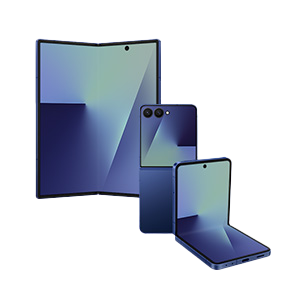
Enhanced Data Protection on Samsung Galaxy Z Fold6 and Flip6 uses end-to-end encryption to secure your sensitive data during Samsung Cloud backups, offering stronger privacy than traditional backup methods. This feature encrypts supported data before it leaves your device, ensuring only you can access it—even during cloud storage and restoration.
1. What is Enhanced Data Protection on Samsung Galaxy Z Fold6 and Flip6?
Enhanced Data Protection is a security feature available on Samsung Galaxy Z Fold6 and Flip6 that applies end-to-end encryption to specific data types when backing up to Samsung Cloud. This ensures your personal information remains private and protected from unauthorized access during both transmission and storage.
2. How does Enhanced Data Protection differ from standard backup methods?
- Encryption Application: With Enhanced Data Protection enabled, supported data is encrypted on your device before being uploaded to Samsung Cloud. Standard backups may store data without encryption, depending on the data type.
- Data Security: Encrypted data is protected against unauthorized access, offering a higher level of security compared to non-encrypted backups.
- Restoration Limitations: Data backed up before enabling Enhanced Data Protection cannot be restored under the new encryption scheme. This highlights the importance of activating the feature early to ensure all your data is protected.
3. Which data types support Enhanced Data Protection?
Not all data types are eligible for Enhanced Data Protection. The feature currently supports:
- Messages (SMS/MMS)
- Call logs
- Device settings
- Wi-Fi passwords
- Biometric data (fingerprint and facial recognition settings)
Other data types, such as photos, videos, and app data, will continue to be backed up using standard methods unless explicitly supported in future updates.
4. How do I enable Enhanced Data Protection on my Samsung Galaxy Z Fold6 or Flip6?
To activate Enhanced Data Protection, follow these steps:
- Open the Settings app on your device.
- Navigate to Accounts and Backup > Samsung Cloud.
- Select Enhanced Data Protection and follow the on-screen instructions.
- Verify your Samsung account credentials to confirm activation.
Once enabled, supported data will automatically be encrypted during future backups.
5. Why should I use Enhanced Data Protection?
Enhanced Data Protection adds an extra layer of security to your most sensitive information, ensuring it remains private and protected even if Samsung Cloud servers are compromised. It's especially beneficial for users who frequently back up personal data or use public networks for cloud synchronization.
6. Supported Samsung Galaxy devices
Enhanced Data Protection is currently available on Samsung Galaxy Z Fold6 and Flip6. Future Galaxy Z series devices, including the Galaxy Z Fold7 and Flip7, may also support this feature upon release.
7. Related Samsung support topics
Thank you for your feedback!
Please answer all questions.