How to Get the Best Fit with Galaxy Buds3 and Buds3 Pro
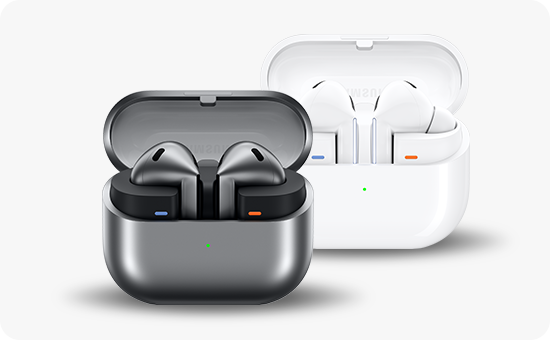
How do I get the best fit with Samsung Galaxy Buds3 and Buds3 Pro?
To ensure optimal comfort, stability, and audio performance with your Samsung Galaxy Buds3 or Buds3 Pro, properly attaching and selecting the right ear tips is essential. Follow these steps to find the best fit for your ears.
1. Locating the Included Accessories
Your Galaxy Buds3 or Buds3 Pro comes with ear tips (Buds3 Pro only) pre-attached. Additional ear tips are provided in the accessory box for customization. Check the packaging to locate these accessories.
2. Attaching the Ear Tips
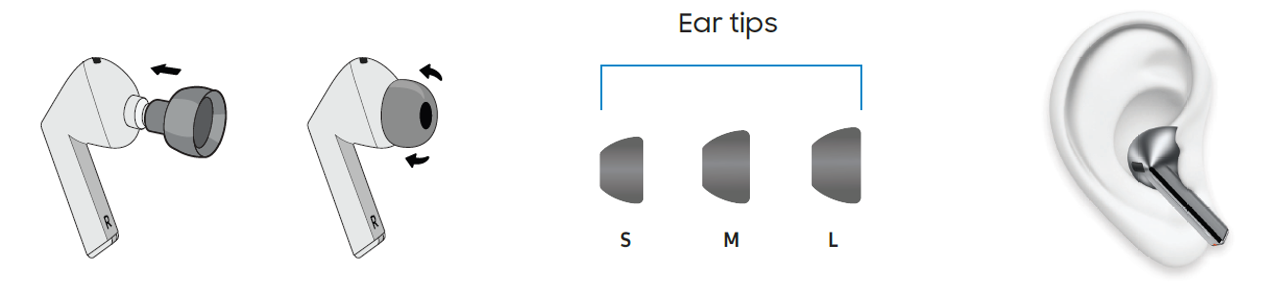
For Galaxy Buds3 Pro, ensure the ear tips are securely attached before wearing the earbuds. Here's how:
- Select the ear tip size that fits your ear comfortably. Test each size if needed.
- Flip the ear tip inside out to make it easier to attach.
- Align the notches on the ear tip with the protruding part of the earbud speaker.
- Gently push the ear tip onto the speaker until it fits snugly. Avoid excessive pulling to prevent tearing.
3. Why the Fit Matters
- A proper fit ensures better sound quality and noise isolation.
- It prevents the earbuds from falling out during movement or exercise.
- Comfort is enhanced, allowing longer usage without irritation.
4. Supported Samsung Galaxy Devices
This guide applies to:
- Galaxy Buds3
- Galaxy Buds3 Pro
5. Additional Things to Check
If you experience discomfort or poor fit:
- Try a different ear tip size for a better match.
- Ensure the ear tips are clean and free from debris.
- Check for wear or damage on the ear tips and replace if necessary.
Related Samsung Support Topics
Thank you for your feedback!
Please answer all questions.