Can previously sold S pens be used with S24 Ultra?
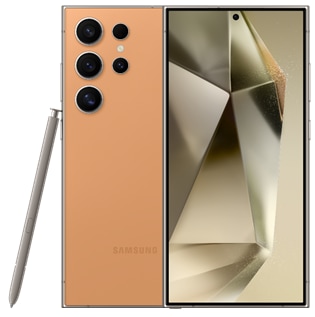
Can I Use My Old S Pen with the Samsung Galaxy S24 Ultra?
Yes, certain previously sold S Pens can be used with the Samsung Galaxy S24 Ultra, but compatibility depends on the specific model of the S Pen. The S24 Ultra supports writing functionality with S Pens designed for the S22 Ultra, S23 Ultra, and tablets, as well as the S Pen Pro and Creator Edition. However, S Pens from foldable models like the Galaxy Z Fold 3 and Z Fold 4 do not support writing or Air Actions on the S24 Ultra.
1. Which S Pens Are Compatible with the Samsung Galaxy S24 Ultra?
Here's a breakdown of S Pen models that work with the Samsung Galaxy S24 Ultra:
- S Pens from S22 Ultra and S23 Ultra: These S Pens are fully compatible with the S24 Ultra and support writing functionality.
- Tablet S Pens: S Pens designed for Samsung tablets also support writing on the S24 Ultra.
- S Pen Pro: This model supports both writing and Air Actions on the S24 Ultra.
- S Pen Creator Edition: Fully compatible with the S24 Ultra for writing and advanced features.
- Incompatible S Pens: S Pens from foldable models like the Galaxy Z Fold 3 and Z Fold 4 do not support writing or Air Actions on the S24 Ultra.
2. Why Does S Pen Compatibility Vary Across Models?
- Different S Pen models are designed for specific device families, such as foldables or tablets, and may lack the necessary hardware or software integration for full functionality on the S24 Ultra.
- Advanced features like Air Actions require specific firmware and sensor support, which may not be available on older or incompatible S Pens.
3. Supported Samsung Galaxy Devices
The S24 Ultra is compatible with S Pens designed for the following devices:
- Samsung Galaxy S22 Ultra
- Samsung Galaxy S23 Ultra
- Samsung Galaxy Tablets (e.g., Tab S series)
- S Pen Pro
- S Pen Creator Edition
4. Additional Things to Check
If your S Pen isn't working as expected on the S24 Ultra, consider these troubleshooting steps:
- Ensure the S Pen is fully charged and properly paired with the device.
- Update your S24 Ultra to the latest software version for optimal compatibility.
- Check for firmware updates for your S Pen through the Samsung Members app.
- Test the S Pen on another compatible device to confirm it's functioning correctly.
Related Samsung Support Topics
Thank you for your feedback!
Please answer all questions.