Galaxy Z Fold4 & Fold5 Under Display Camera (UDC) Overview
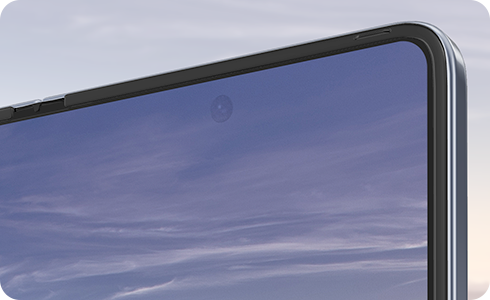
The Under Display Camera (UDC) on Samsung Galaxy Z Fold4 and Fold5 is a hidden front-facing camera located beneath the main display, enabling a seamless viewing experience for videos and games without visible camera cutouts.
1. What is the Under Display Camera (UDC)?
The Under Display Camera (UDC) is a unique feature available on Samsung Galaxy Z Fold4 and Fold5. It is a front-facing camera concealed beneath the main display, allowing for an uninterrupted viewing experience. The UDC is primarily used for video calls and facial recognition to unlock your device. While it offers convenience for selfies, the cover screen camera provides slightly better image quality for enhanced photo and video clarity.
2. How does the UDC work?
The UDC technology reduces pixel density in a specific area of the display, enabling light to pass through and reach the camera sensor. This ensures proper functionality while maintaining a sleek, hole-free design. You may notice a faint cross-hatch pattern around the camera area, especially on bright screens or when the display is turned off. This is normal and does not affect performance.
To access the UDC:
- Open the main display.
- Tap the Camera app icon.
- If your live image doesn't appear, tap the circular arrow above the Capture icon on the right-hand side of the screen.
3. UDC Specifications
The UDC on Galaxy Z Fold4 and Fold5 includes the following features:
- Resolution: 4MP
- Aperture: F 1.8
- Focus: Fixed
4. Supported Samsung Galaxy Devices
The Under Display Camera is available on the following devices:
- Galaxy Z Fold3
- Galaxy Z Fold4
- Galaxy Z Fold5
5. Related Samsung Support Topics
Thank you for your feedback!
Please answer all questions.