How Do I Maintain My Samsung Jet Bot?
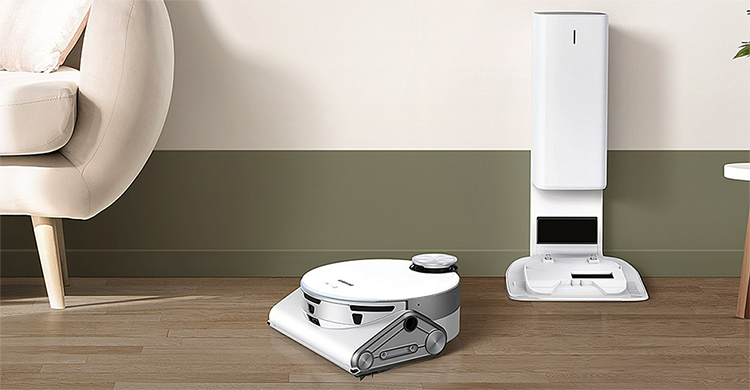
How to Keep Your Samsung Jet Bot Clean and Running Smoothly
Regular maintenance is key to keeping your Samsung Jet Bot functioning efficiently. Whether you're dealing with sensor problems, reduced cleaning performance, or brush damage, following these cleaning procedures ensures your device remains in top condition.
1. Why Is Regular Cleaning Important for Your Samsung Jet Bot?
Over time, dust, hair, and debris can accumulate in your Jet Bot, affecting its performance. Regular cleaning helps:
- Maintain sensor accuracy for navigation and obstacle detection.
- Prevent clogging in filters and brushes for consistent suction power.
- Extend the lifespan of internal components and reduce wear and tear.
2. How to Empty the Clean Station
Follow these steps to ensure your Clean Station remains functional:
- Remove the dust bag from the Clean Station.
- Dispose of the used dust bag properly.
- Insert a new dust bag securely into the Clean Station.
- Check the fine dust filter and clean it if necessary.
It's recommended to replace the fine dust filter at least once a year for optimal performance.
3. How to Clean the Spin Brush
If the spin brush becomes tangled with hair, threads, or debris, follow these steps:
- Turn off and unplug the Jet Bot.
- Remove the spin brush from the device.
- Carefully cut away any tangled material using scissors.
- Wipe the brush with a dry cloth to remove remaining dust.
- Reattach the brush securely.
4. How to Clean the Sensors
The Samsung Jet Bot features six different types of sensors that require regular maintenance. To clean them:
- Power off the Jet Bot.
- Use a soft, dry cloth to gently wipe the sensors.
- Avoid using cleaning liquids, as they may damage the sensors.
5. Additional Things to Check
For comprehensive maintenance, consider these additional checks:
- Inspect the wheels for trapped debris and clean them if necessary.
- Ensure the charging contacts are free of dust to maintain proper charging.
- Verify that the water tank (if applicable) is clean and free of residue.
6. Supported Samsung Jet Bot Devices
These cleaning tips apply to most Samsung Jet Bot models, including:
Jet Bot AI+, Jet Bot 90, Jet Bot 85, Jet Bot 70
7. When to Seek Professional Assistance
If cleaning doesn't resolve performance issues, consider contacting Samsung Support for further assistance. Common scenarios include:
- Persistent sensor malfunctions after cleaning.
- Unusual noises or vibrations during operation.
- Complete failure to start or charge.
Related Samsung Support Topics
Thank you for your feedback!
Please answer all questions.