Unable to backup device to Samsung Cloud
Why can't I back up my Samsung Galaxy device to Samsung Cloud?
If your Samsung Galaxy device fails to back up to Samsung Cloud, the issue is often due to low battery, unstable Wi-Fi, insufficient cloud storage, or incorrect sync settings. Follow these steps to resolve the problem and ensure successful backups.
1. Why is my Samsung Galaxy device failing to back up to Samsung Cloud?
Samsung Cloud backup failures typically occur due to common technical constraints. Here are the primary reasons:
- Your device has less than 15% battery power.
- The Wi-Fi or mobile data connection is weak or unstable.
- Your Samsung Cloud account lacks sufficient storage space.
- Sync settings for specific apps are disabled or misconfigured.
2. How do I fix Samsung Cloud backup issues on my Galaxy device?
Follow these steps to troubleshoot and resolve backup failures:
- Check your device's battery level: Ensure your Galaxy device has at least 15% battery before initiating a backup. If the battery is low, connect your device to a charger.
- Verify your network connection: A stable Wi-Fi or mobile data connection is essential for Samsung Cloud backups. Go to Settings > Connections > Wi-Fi, and reconnect to a reliable network.
- Free up Samsung Cloud storage: Every Samsung account comes with 15GB of free storage. Visit the Samsung Cloud website to check your usage. Delete unnecessary backups or files to free up space.
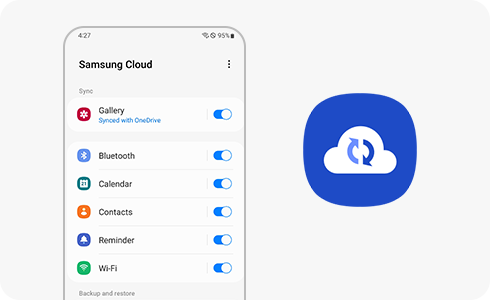
- Enable sync settings for apps: Ensure that your preferred apps (e.g., Samsung Notes, Contacts) are set to sync with Samsung Cloud. Open the app, go to its settings, and enable the sync option.
3. What should I check if Samsung Cloud backup still fails?
If the issue persists, consider these additional checks:
- Restart your Galaxy device to refresh system processes.
- Update your device's software to the latest version via Settings > Software Update.
- Clear the cache for the Samsung Cloud app by going to Settings > Apps > Samsung Cloud > Storage > Clear Cache.
4. Which Samsung Galaxy devices support Samsung Cloud backup?
Samsung Cloud backup is supported on most Galaxy devices, including the Galaxy S24, Galaxy S25, Galaxy S26, Galaxy Z Fold, Galaxy Z Flip, and Galaxy A series. Ensure your device is running the latest software version for optimal compatibility.
5. Related Samsung support topics
Thank you for your feedback!
Please answer all questions.